
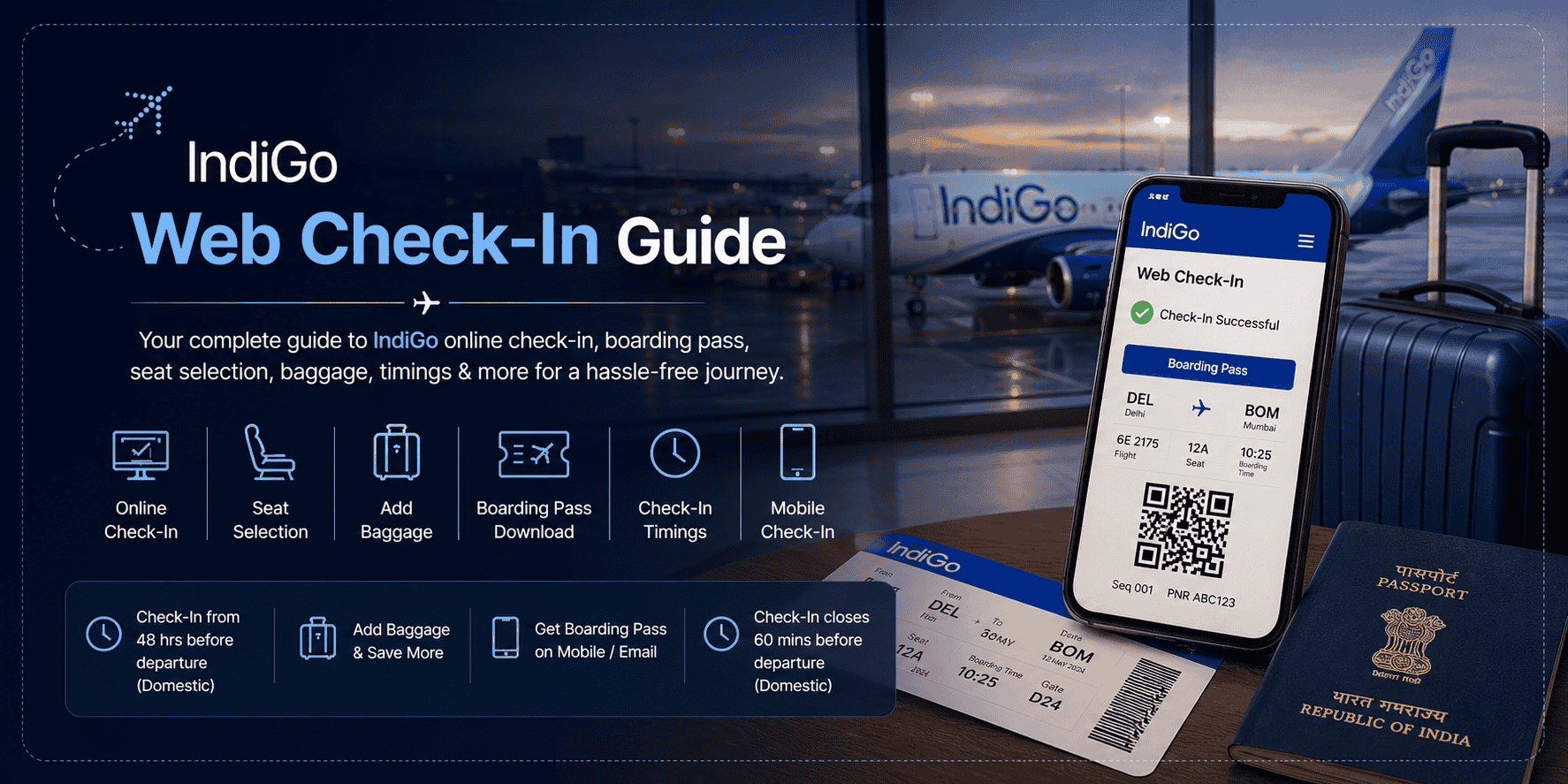
Planning to fly with IndiGo? Completing your IndiGo web check-in before reaching the airport can make your journey significantly smoother and faster. Instead of standing in long queues at the airport, passengers can complete the entire check-in process online within minutes, download their boarding pass, choose seats, add baggage, and head directly to baggage drop counters.
With millions of travelers searching for terms like IndiGo online check-in, IndiGo boarding pass download, IndiGo web check-in without seat selection, and IndiGo mobile check-in, understanding the complete process can help avoid confusion on the day of travel.
This detailed guide explains everything you need to know about IndiGo check-in procedures, timings, seat selection rules, baggage options, mobile boarding passes, and common issues faced during online check-in.
What is IndiGo Web Check-In?
IndiGo web check-in is an online facility that allows passengers to confirm their flight booking before arriving at the airport. Instead of completing the process physically at the airline counter, travelers can check in digitally using the IndiGo website or mobile app.
The online check-in system enables passengers to:
- Confirm travel details
- Select seats
- Add baggage
- Purchase meals
- Download boarding passes
- Save time at the airport
The feature is especially useful during peak travel seasons when airport counters become crowded and waiting times increase.
For frequent flyers, business travelers, and families traveling with children, IndiGo online check-in offers convenience and better travel planning.
Why IndiGo Online Check-In is Important
Many passengers underestimate the importance of completing web check-in before their flight. However, online check-in not only saves time but also improves the overall airport experience.
One of the biggest benefits is avoiding long airport queues. Passengers who complete web check-in can directly proceed to baggage drop counters if they have check-in luggage. Those traveling only with cabin baggage can move straight toward security checks.
Another major advantage is better seat availability. Travelers who check in early often get access to preferred seats, including aisle seats, window seats, and seats with extra legroom.
IndiGo web check-in also reduces last-minute stress. Having a digital boarding pass ready on your phone ensures a smoother boarding experience without unnecessary delays.
IndiGo Web Check-In Timing
A common question travelers ask is:
“When does IndiGo web check-in open?”
For most domestic flights, IndiGo online check-in generally opens around 48 hours before departure and closes approximately 60 minutes before the scheduled departure time.
For international routes, web check-in timings can differ slightly. In most cases, international check-in opens around 24 hours before departure and closes approximately 75 minutes before takeoff.
Passengers are advised not to wait until the final hour. Early web check-in increases the chances of getting better seat options and reduces the risk of technical issues closer to departure time.
How to Do IndiGo Web Check-In Online
The IndiGo web check-in process is designed to be simple and user-friendly. Even first-time travelers can complete the process in just a few minutes.
To begin, passengers need to visit the official IndiGo website or open the IndiGo mobile application. The check-in option is usually visible directly on the homepage.
After opening the check-in page, travelers need to enter their booking reference number or PNR along with their last name. Once the booking details are verified, passenger information appears on the screen.
Passengers can then proceed with seat selection. Depending on availability, IndiGo may offer both free and paid seat options. Premium seats, extra legroom seats, and front-row seats generally come with additional charges.
After selecting seats, passengers can choose extra services such as:
- Additional baggage
- Meal preferences
- Priority boarding
- Travel assistance services
Once all selections are completed, the system generates a boarding pass that can either be downloaded as a PDF or stored directly on a mobile device.
IndiGo Boarding Pass Download Process
After completing online check-in, downloading the boarding pass becomes the next important step.
Passengers can download their IndiGo boarding pass through:
- The IndiGo website
- The IndiGo mobile app
- Email links sent by the airline
- SMS or app notifications
The boarding pass contains important details including:
- Passenger name
- Flight number
- Boarding gate
- Seat number
- Boarding time
- Terminal information
Travelers should always keep a digital copy as well as a backup screenshot to avoid inconvenience in case of internet issues at the airport.
Many Indian airports now fully support mobile boarding passes, allowing passengers to show the QR code directly from their phone during security checks and boarding.
IndiGo Web Check-In Without Seat Selection
One of the most searched topics related to IndiGo online check-in is whether passengers can skip paid seat selection.
In many cases, IndiGo allows passengers to continue the check-in process without purchasing a seat. If a passenger chooses not to pay for seat selection, the airline generally auto-assigns a seat based on availability.
However, there are a few important points travelers should understand.
Passengers traveling in groups may not receive adjacent seats if they skip paid seat selection. Similarly, preferred seats like window seats, aisle seats, and front-row seats are usually chargeable.
Travelers looking to save money often prefer auto-assigned seating, especially for short-duration flights.
IndiGo Seat Selection Explained
Seat selection has become an important part of airline travel, especially for passengers seeking comfort during longer journeys.
IndiGo offers multiple categories of seating options depending on the aircraft and route.
Passengers can choose from:
- Standard seats
- Window seats
- Aisle seats
- Front-row seats
- Extra legroom seats
The pricing for seats varies based on demand, route popularity, and flight duration.
Business travelers often prefer front-row seating for faster exit after landing, while leisure travelers may choose window seats for better views during the flight.
Passengers traveling with elderly family members or children are advised to complete web check-in early to secure nearby seating arrangements.
IndiGo Mobile Check-In Experience
The IndiGo mobile app has made the check-in process even more convenient for travelers.
Using the mobile app, passengers can:
- Complete web check-in
- Access mobile boarding passes
- Receive live flight notifications
- Track gate changes
- Add baggage
- Manage bookings
Mobile check-in is especially useful for travelers who frequently fly or those who prefer paperless travel experiences.
The app also allows passengers to retrieve boarding passes quickly without repeatedly searching through emails.
Adding Baggage During IndiGo Web Check-In
Passengers carrying extra luggage can add baggage during the online check-in process itself.
Purchasing additional baggage online is usually cheaper compared to airport baggage charges. This helps travelers save money while also reducing time spent at airport counters.
Passengers can add:
- Extra check-in baggage
- Sports equipment
- Musical instruments
- Additional cabin baggage options
It is always recommended to calculate baggage requirements in advance rather than paying higher charges at the airport.
Documents Required for IndiGo Online Check-In
Passengers should keep all necessary documents ready before starting the check-in process.
For domestic travel within India, passengers usually need:
- Booking reference number
- Valid government-issued ID proof
- Passenger details matching the ticket
For international flights, travelers may additionally require:
- Passport
- Visa documents
- Health declarations if applicable
- Destination-specific travel approvals
Incorrect passenger details can sometimes lead to web check-in failures or boarding issues.
What Happens After Web Check-In?
Completing IndiGo web check-in does not mean passengers can arrive late at the airport.
Travelers still need sufficient time for:
- Baggage drop
- Security checks
- Immigration procedures for international travel
- Boarding formalities
Passengers should ideally arrive at the airport at least:
- 2 hours before domestic flights
- 3 to 4 hours before international flights
Airport gates often close well before departure, and late arrivals may be denied boarding even with a valid boarding pass.
Common IndiGo Web Check-In Problems
Although the online process is usually smooth, passengers sometimes face technical or procedural issues.
One common issue is incorrect PNR or passenger details. Even a small mismatch in surname spelling can prevent successful check-in.
Some passengers also face difficulty while skipping seat selection, especially during peak booking periods or on specific routes.
Boarding pass download failures can happen due to browser issues, unstable internet connections, or app glitches. In such situations, switching devices or using the IndiGo mobile app often resolves the problem.
International travelers may occasionally find online check-in unavailable because certain visa or passport verifications need to be completed manually at airport counters.
IndiGo Web Check-In vs Airport Check-In
Traditional airport check-in involves standing in queues, collecting printed boarding passes, and completing baggage formalities physically.
Web check-in simplifies most of these steps digitally before passengers even leave for the airport.
Passengers using online check-in generally experience:
- Faster airport processing
- Better seat options
- Reduced waiting time
- Easier access to boarding passes
- More convenient travel planning
As air travel continues to become more digital, web check-in is increasingly becoming the preferred method among travelers.
Tips for Smooth IndiGo Web Check-In
To ensure a hassle-free experience, passengers should follow a few simple best practices.
Always complete web check-in as early as possible to improve seat availability. Keep travel documents ready beforehand and double-check passenger details before submission.
Travelers should also download their boarding pass immediately after check-in instead of relying solely on email access at the airport.
Passengers carrying extra baggage should purchase baggage allowance online in advance to avoid expensive airport charges.
Using the IndiGo mobile app can further simplify the process by storing all flight-related information in one place.
Frequently Asked Questions About IndiGo Web Check-In
Is IndiGo web check-in mandatory?
While airport check-in is still available in many situations, IndiGo strongly encourages passengers to complete online check-in for a smoother airport experience.
Can I show my boarding pass on mobile?
Yes, many airports in India accept mobile boarding passes with QR codes for entry, security verification, and boarding.
Can I change my seat after web check-in?
In many cases, passengers can modify seats through the Manage Booking section, though additional charges may apply depending on the seat category.
What if I miss Indigo web check-in?
Passengers who miss online check-in can still check in at airport counters, subject to airline timing policies and airport procedures.
Can I check in online for international flights?
Yes, IndiGo supports web check-in for many international routes, though document verification may still be required at the airport.